
Accessibility Check

A Figma plugin that helps designers identify, understand, and fix accessibility issues through automated checks, vision simulations, and beginner-friendly, actionable guidance.

Overview

Accessibility Evaluator is a Figma plugin designed to help designers create more inclusive interfaces. It detects common accessibility issues—such as poor color contrast, insufficient touch target sizes, and visual challenges caused by color-blindness.

Built for designers of all experience levels, the tool not only flags problems but also provides clear, actionable suggestions to help users fix them. Beyond checking issues, the plugin aims to raise awareness about accessibility and make inclusive design easier to integrate into everyday workflows.
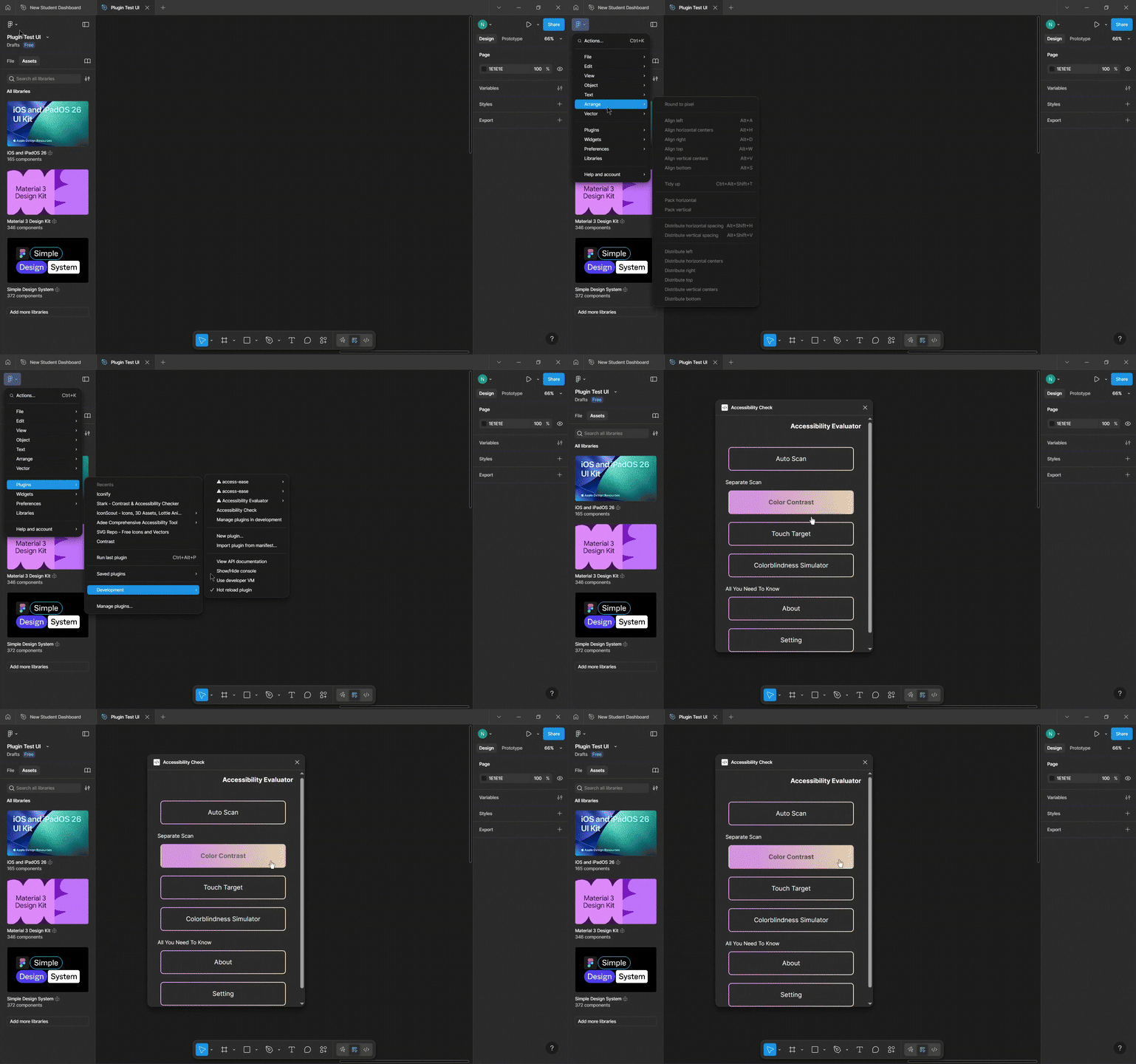
My Role

Product Designer & Frontend Developer (UI design, plugin architecture, accessibility logic, and user-facing interaction flow)

Process & Contribution

Design
  • Designed a lightweight, intuitive UI that fits within Figma’s sidebar constraints.
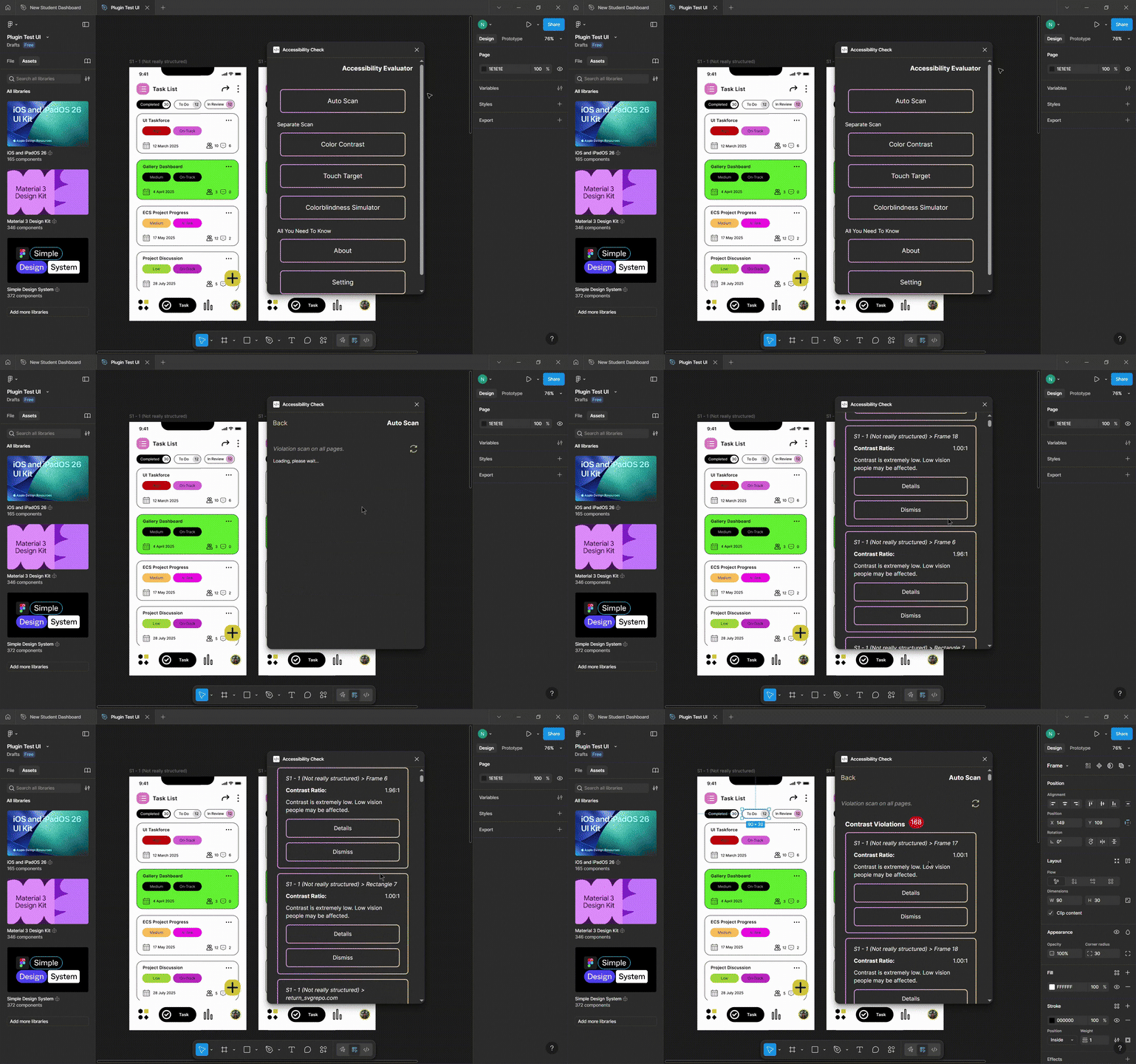
  • Created a result panel that groups violations by category (Color Contrast, Touch Target, Color-Blindness).
  • Developed a beginner-friendly UI with clear severity indicators and plain-language explanations.
  • Designed a vision simulation workflow that allows users to preview multiple color-blind conditions individually or combined.
  • Added a settings interface for customizable contrast ratio thresholds.
Development
  • Built the auto-scan engine that evaluates all frames and surfaces issues with contextual descriptions.
  • Implemented WCAG color contrast calculations and dynamic background detection from any child element with solid fills.
  • Developed logic to simulate multiple types of color blindness and render separate preview layers.
  • Excluded text elements from touch-target checks to ensure accuracy.
  • Added persistence for custom contrast ratio values to support user preferences across sessions.
  • Optimized node traversal and processing performance for large Figma files.
Challenges Solved
  • Detecting background color reliably across diverse Figma layer structures.
  • Ensuring smooth performance when scanning files with hundreds of nodes.
  • Communicating accessibility issues clearly for users with little accessibility knowledge.

Feature Highlights

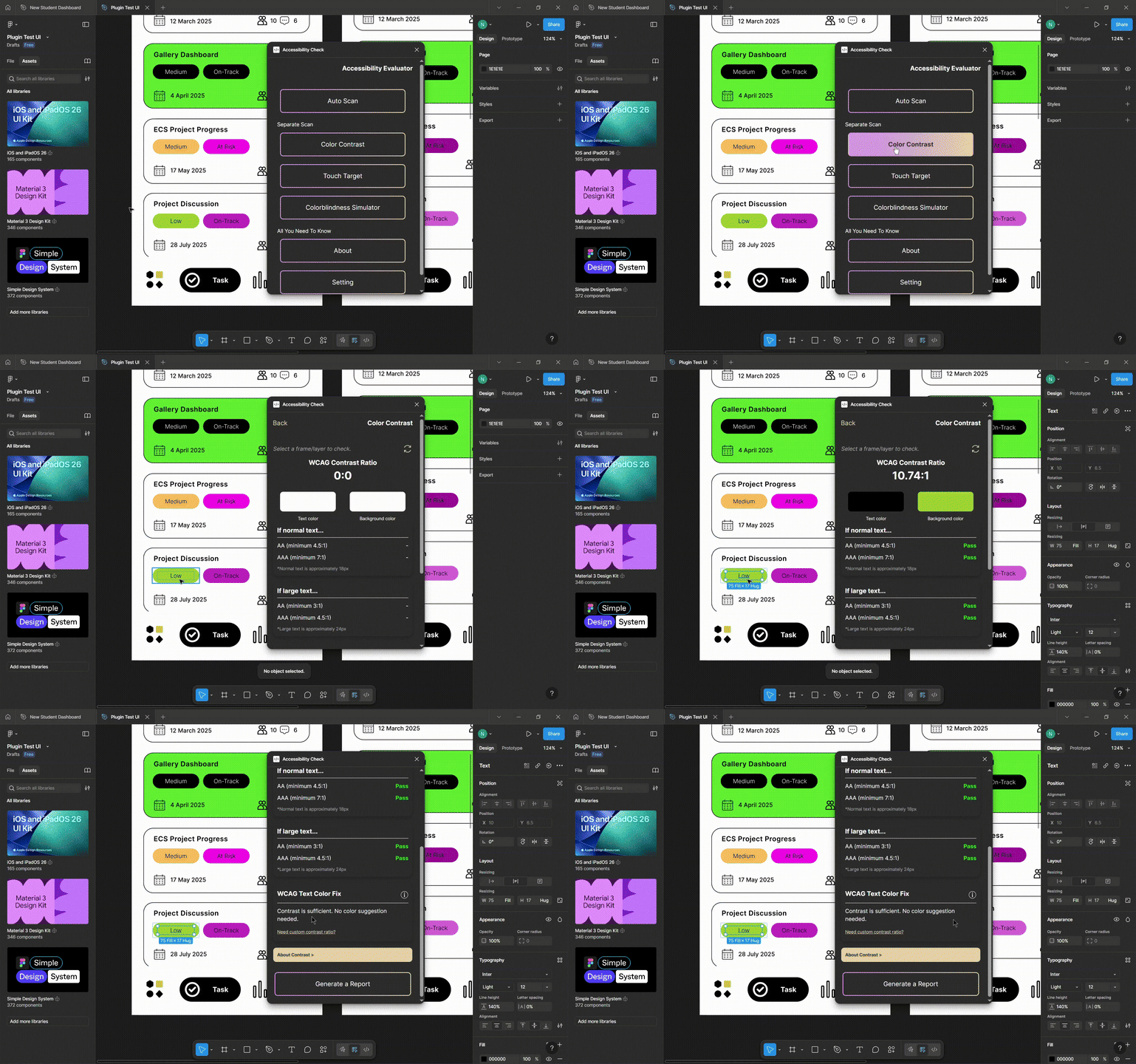
Color Contrast Checker

Checks the selected element against WCAG contrast requirements. If the color contrast fails, the plugin suggests alternative colors that meet the chosen WCAG level (AA or AAA). This helps designers quickly adjust their colors without manually calculating or guessing contrast values.
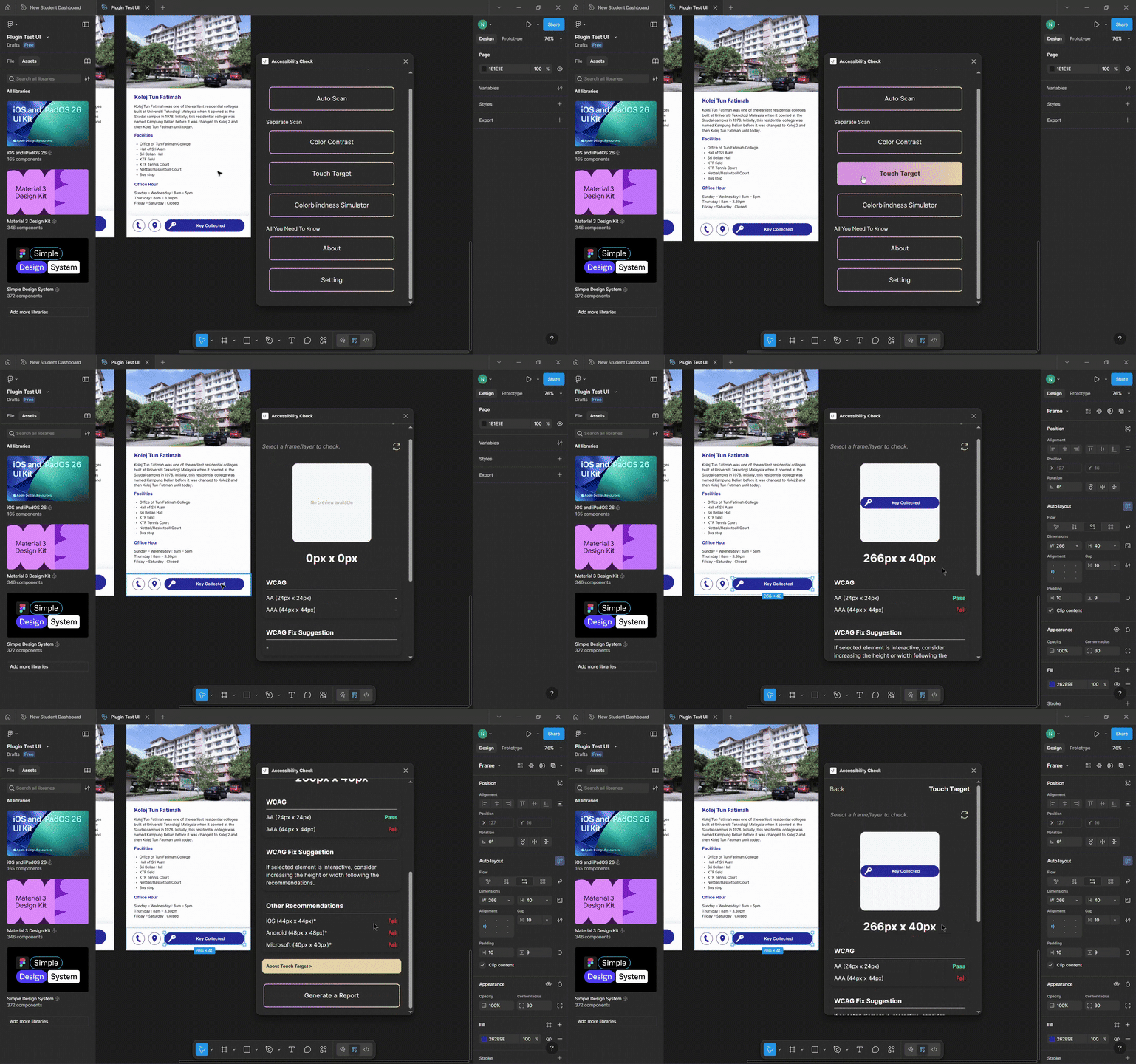
Touch Target Checker

Evaluates the selected element’s size against touch target guidelines from WCAG 2.1 and multiple platforms (iOS, Android, Windows). If the element is too small, the tool provides recommended minimum sizes so designers can make their UI more accessible across different devices.
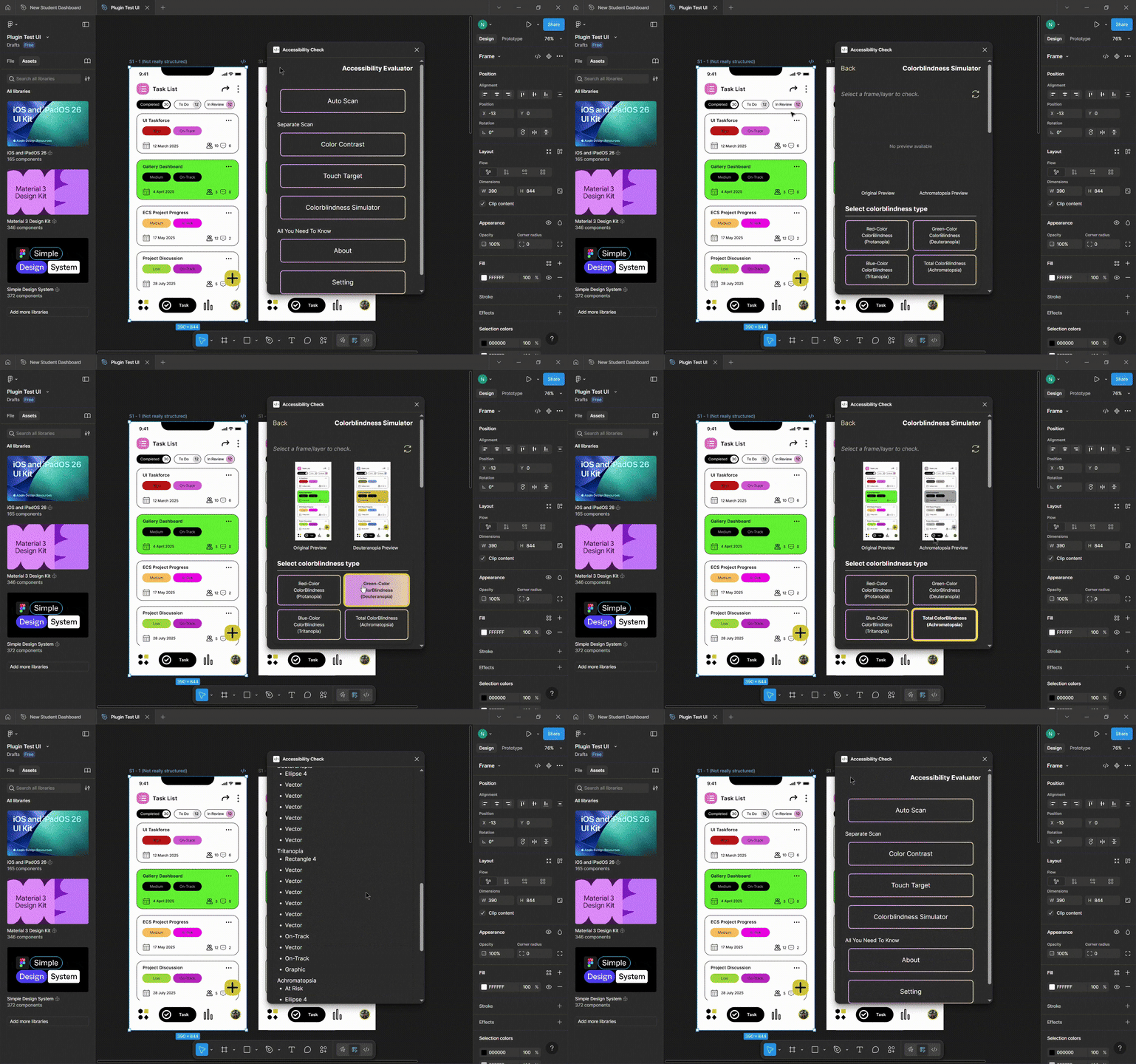
Color-Blindness Simulator

Simulates how the selected element would appear for different types of color vision deficiencies (Protanopia, Deuteranopia, Tritanopia, Achromatopsia). If the simulated result causes low contrast within the selected element or its children, the plugin highlights which layers may be affected, helping designers detect potential accessibility issues early.
Auto-Scan (Automation Feature)

Automatically scans all frames in the file to detect color contrast and touch target violations. Issues are grouped by category with contextual descriptions (e.g., which frame and layer is affected), allowing designers to review accessibility problems across the entire design in one place.
Impact

  • Provided clear guidance that makes accessibility more approachable for beginners.
  • Improved early-stage design decisions by helping users detect issues before handoff.
  • Demonstrated strong potential for use in classrooms, student projects, and design teams practicing inclusive workflows.

What I Learned

  • Applying WCAG 2.1+ standards in practical design and development scenarios.
  • Traversing and evaluating Figma nodes efficiently for real-time plugin performance.
  • Designing for constrained UI spaces while maintaining clarity and usability.
  • Handling plugin <-> Figma messaging, async operations, and rendering pipelines.
  • Building tools that balance technical accuracy with human-friendly communication.